How to stream live audio from your mobile phone?
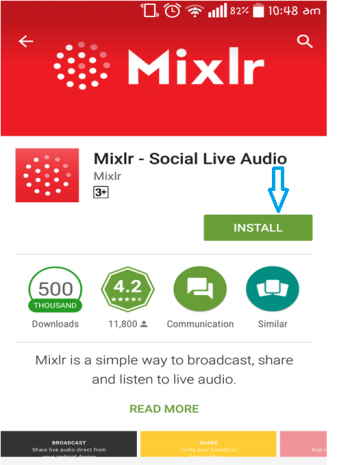
| Step 1 : Go to Google Play Store and install Mixlr App
|
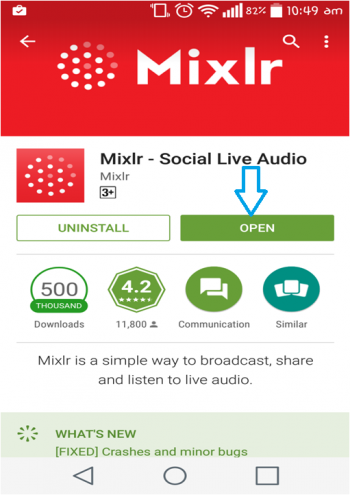
| Step 2: After successful installation, open Mixlr App
|
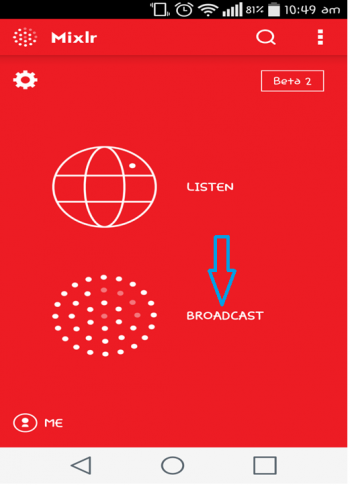
| Step 3: Click On “BROADCAST”
Note : Make sure to put your phone on silent and non-vibration mode to avoid unnecessary sounds
|
| Step 4: Click on the Circle
|
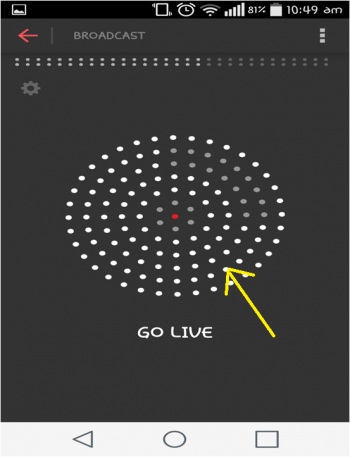
| Step 5: Enter your radio credentials here
|
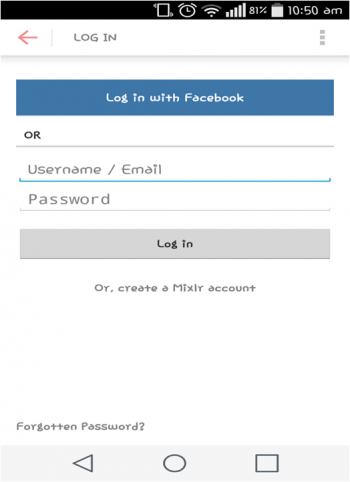
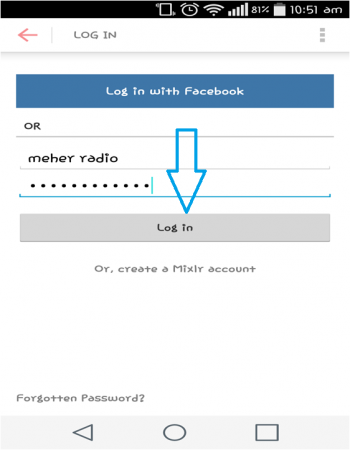
| Step 6: After entering the credentials, click on “Log in “button
|
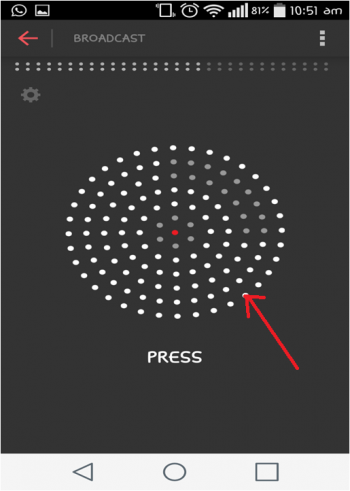
| After successful Login, the following Screen will be displayed
Step 7 : Click on the Circle to go on live
|
| Step 8 : Enter Event Name, or Title and then click on continue button or arrow
|
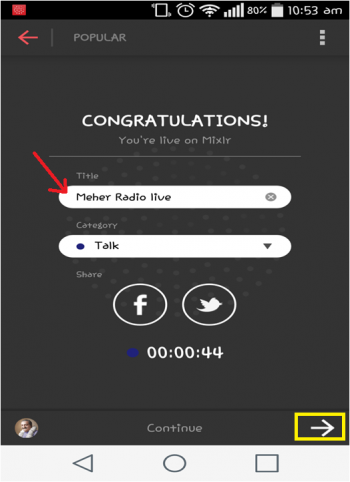
| Step 9 : Now the Radio is on live
|
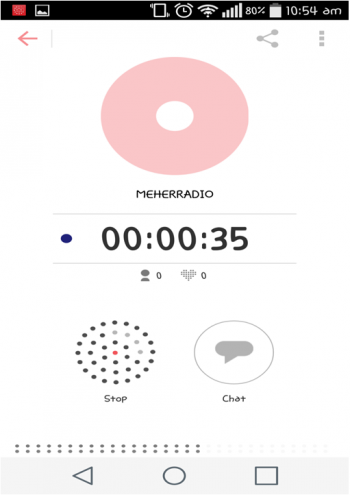
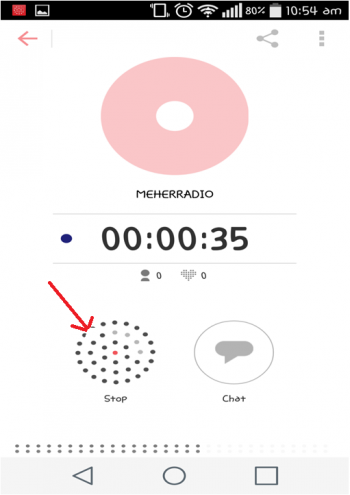
| Step 10: Click on the Circle to stop the Live
|
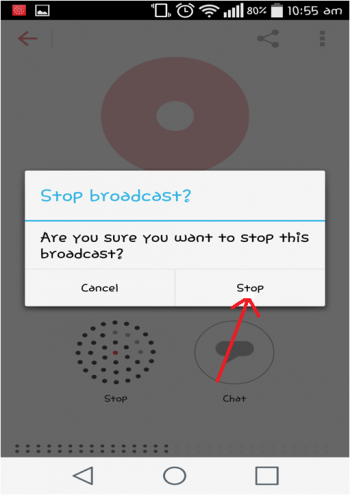
| Step 11 : Click on “Stop” if you want to confirm or you can cancel it and continue the recording
|
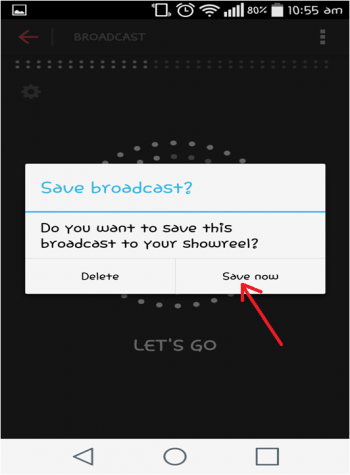
| Step 12 : Click on “Save now” if you want to save the recording session
|