How to change your account password ?
| Step 1 : Click settings symbol at the top right corner
|
| Step 2 : Click “Profile” tab in menu
|
| Step 3 : Click “Settings” tab
|
| Step 4 : Fill in all details and click on “Save Changes” button
|

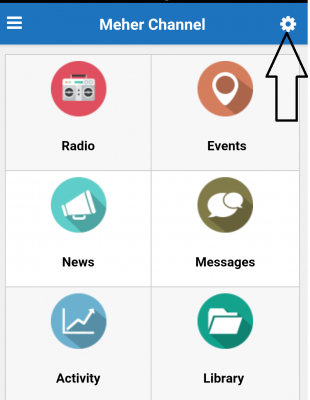
| Step 1 : Click settings symbol at the top right corner
|
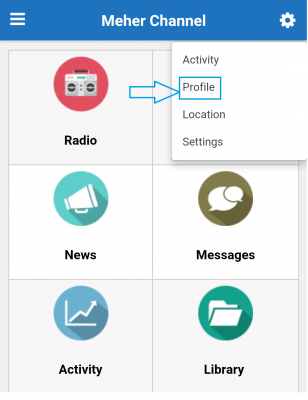
| Step 2 : Click “Profile” tab in menu
|
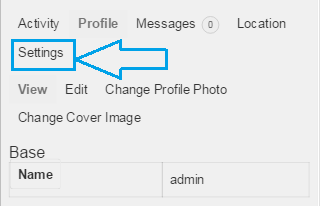
| Step 3 : Click “Settings” tab
|
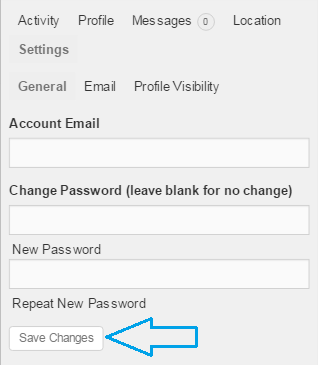
| Step 4 : Fill in all details and click on “Save Changes” button
|